Twitter/X Communities launched with a promise: dedicated spaces for people who share niche interests, away from the chaos of the main timeline. In 2026, they’ve become one of the most underutilized growth tools on the platform. If you haven’t started building or participating in Communities, you’re leaving real audience-building potential on the table.
What Are Twitter/X Communities?
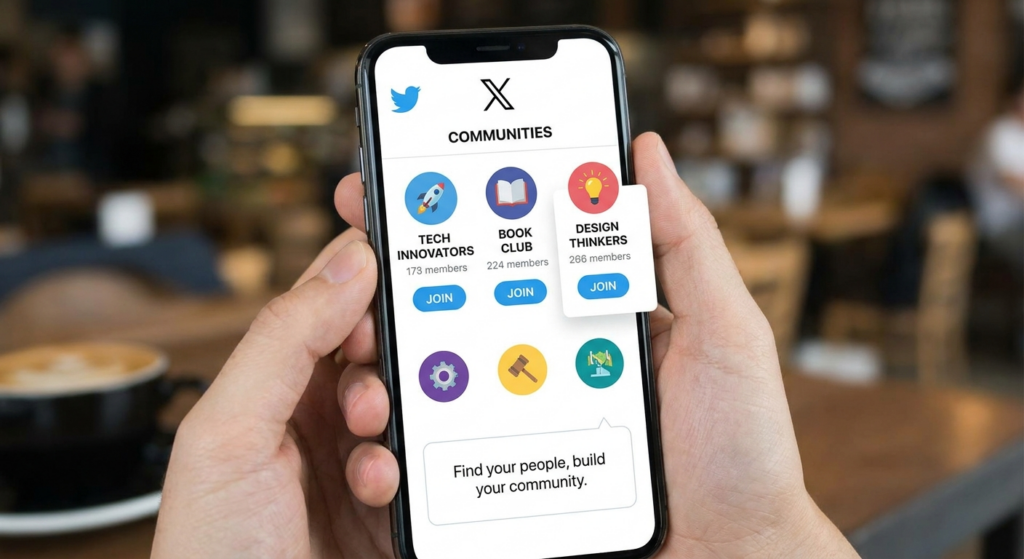
Twitter/X Communities are member-only groups within the X platform where people with shared interests can post, discuss, and connect. Think of them as a cross between a subreddit and a Facebook group — but native to X. Posts made inside a Community appear in that Community’s feed and can optionally appear in the main timeline.
How Communities Differ From Lists
Lists are passive — you curate accounts to follow. Communities are active — members post directly into a shared space. Lists organize your consumption; Communities organize your creation and conversation.
Community Types
There are two main Community configurations: Open Communities where anyone can request to join, and Curated Communities where admins manually approve every member. For niche authority-building, curated communities tend to drive higher engagement per post.
How to Create a Twitter/X Community in 2026
Creating a Community is straightforward but requires an X Premium or Verified Organizations subscription for most accounts. Here’s how to do it:
Step-by-Step Setup
1. Open X on mobile or desktop. Navigate to the Communities icon (looks like two overlapping circles) in the left sidebar.
2. Tap “Create a Community.”
3. Choose a name, description, and cover image. Be specific — “B2B SaaS Founders” performs better than “Business People.”
4. Select your Community type (Open or Curated).
5. Set Community rules. Clear rules reduce moderation headaches later.
6. Invite founding members. Seed it with 10–20 active people before going public.
Choosing the Right Niche
The best-performing Communities are hyper-specific. “Freelance Copywriters for SaaS” outperforms “Copywriting.” Niche down until you feel like it might be too narrow — it probably isn’t.
Growing Your Community: Proven Strategies
An empty Community is just a ghost town. Growth requires intentional effort, especially in the first 30 days.
The Launch Strategy
Post a public X thread announcing your Community. Tag 5–10 relevant accounts and ask them to join and share. Pin a post inside the Community explaining what it’s for and what kind of content members should post. This sets the tone.
Content Cadence
Commit to posting inside your Community at least once per day for the first 60 days. This signals to X’s algorithm that the Community is active and surfaces it in recommendations. Mix formats: questions, polls, resources, and discussions.
Leverage Your Existing Audience
If you already have X followers, announce your Community in a thread and pin it to your profile. Add a Community link to your X bio. Your most engaged followers will be your first members.
Engagement Tactics That Work Inside Communities
Getting members is step one. Getting them to post is step two — and it’s harder.
Ask Direct Questions
The easiest way to drive replies is to ask specific questions. “What’s the one tool you couldn’t run your freelance business without?” gets more replies than “How’s everyone doing?” Be direct.
Weekly Recurring Threads
Create predictable recurring formats: Monday motivation, Wednesday wins, Friday tools. Recurring threads train members to show up on specific days, which builds habit and boosts weekly engagement metrics.
Feature Member Contributions
When a member posts something valuable, amplify it publicly on your main timeline (with permission). This incentivizes quality posts and shows members their contributions are valued.
Using Communities for Business Growth
Communities aren’t just for personal branding — they’re powerful B2B and B2C growth channels.
Lead Generation
A curated Community around your product category puts you in front of exactly the people who might buy from you. You’re not interrupting them — they opted in. Soft pitches and case study discussions convert better here than cold outreach.
Market Research
Post polls and open questions to gather real-time customer insights. A Community of 500 engaged niche members gives you better data than most expensive surveys.
Product Feedback Loops
Share early-stage features or ideas. Communities are ideal for gathering honest feedback from people who actually care about your space. Many SaaS founders run private beta Communities to gather focused feedback before launch.
Community Analytics and What to Track
X provides basic Community analytics. Here’s what actually matters:
| Metric | What It Tells You | Good Benchmark |
|---|---|---|
| Member growth rate | Community discovery & appeal | 10–20% monthly |
| Posts per week | Activity & engagement health | 20+ posts/week for 100+ members |
| Reply rate | Conversation quality | 30%+ of posts get replies |
| Member retention | Community value perception | <10% monthly churn |
| Impressions per post | Content resonance | Compare to your main timeline |
Frequently Asked Questions
Can anyone join a Twitter/X Community?
It depends on the Community type. Open Communities allow anyone to request membership, while Curated Communities require admin approval. Some Communities are invite-only.
Do Community posts appear on my main timeline?
Community posts can be set to appear only within the Community or also on your main timeline — it’s your choice at the time of posting. Most power users post important content to both.
How many Communities can I join on X?
As of 2026, X allows users to join up to 5 Communities. Choose the ones most relevant to your niche or audience.
Do I need X Premium to create a Community?
Creating Communities currently requires X Premium or Verified Organizations status. Joining and posting in existing Communities is free for all users.
How do I get my Community discovered by new members?
X surfaces Communities in search results and recommendations. Use keyword-rich names and descriptions. Also, posting publicly about your Community on your main timeline is the fastest growth hack.
Can I monetize a Twitter/X Community?
Not directly through X. However, Communities drive audience building that supports monetization through subscriptions (X Subscriptions), sponsorships, and funnel-based product sales.
What’s the ideal Community size for engagement?
Research suggests Communities between 100–1,000 members see the highest engagement rates. Very large Communities (10K+) often suffer from lower reply rates per post.
Conclusion
Twitter/X Communities represent one of the most direct paths to building a loyal, engaged niche audience on the platform in 2026. The brands and creators who invest time in building and nurturing Communities now are positioning themselves ahead of the curve. Start small, be consistent, add value before asking for anything, and watch your Community become one of your most powerful growth assets.