
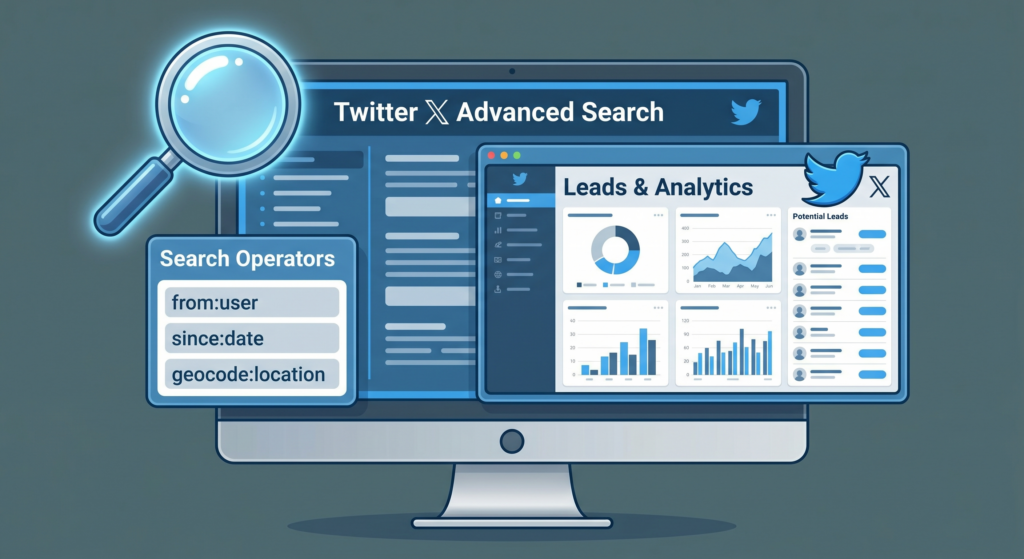
Twitter/X Advanced Search is one of the most underused power tools on the entire platform. While most users type a word into the search bar and scroll through a chaotic feed, savvy marketers and growth-focused creators are running pinpoint queries that surface warm leads, expose competitor blind spots, and generate weeks of content ideas in minutes. In 2026, with X’s algorithm making organic reach increasingly unpredictable, mastering Advanced Search isn’t optional — it’s a genuine competitive edge. This guide walks you through every operator, every use case, and every workflow you need to turn the search bar into a business development engine.
What Is Twitter/X Advanced Search and Why It Still Matters in 2026
The Basics: Beyond the Default Search Bar
Twitter’s default search bar returns a mix of “Top” results curated by the algorithm — popular posts, ads, and accounts the platform wants you to see. Advanced Search bypasses that curation. It lets you filter by exact phrases, specific accounts, date ranges, engagement thresholds, language, and even whether a tweet contains a question. The result is a surgical tool rather than a blunt instrument. You can access it directly at twitter.com/search-advanced or by clicking the three-dot “Advanced Search” link that appears beneath the search results page on desktop.
Why Advanced Search Is More Valuable Than Ever
As X continues to shift toward a subscription and creator economy model, the volume of public conversations remains massive — billions of posts indexed and searchable. Unlike Google, which indexes web pages over days or weeks, Twitter’s search index is near real-time. A pain point expressed five minutes ago is already searchable. For B2B founders, content creators, and growth marketers, that real-time signal is gold. Pair it with X’s expanded search filters introduced in late 2025 and you have a prospecting and research tool that rivals paid social listening platforms.
Mastering the Core Search Operators
Exact Phrase and Boolean Operators
The foundation of any Advanced Search strategy is the correct use of Boolean logic. Wrapping a phrase in quotes ("phrase here") forces Twitter to return only tweets containing that exact string. The OR operator broadens your results — "content marketing" OR "SEO strategy" — while the minus sign excludes terms: marketing -agency removes tweets from or about agencies. Combining these gives you remarkably precise queries. For example: "looking for a developer" OR "need a developer" -job -hiring surfaces people actively seeking help rather than companies posting job listings.
Account-Specific and Engagement Filters
The from: and to: operators let you pull every public tweet from a specific account or every reply directed at one. For competitor research, to:@competitor min_replies:5 shows you which questions and complaints their audience is asking most loudly. The min_faves: and min_retweets: filters let you establish an engagement floor — only surface tweets that resonated. Use min_faves:100 when searching for proven content angles; use min_faves:5 when prospecting for genuine conversations before they go viral.
Date Range and Language Filters
The since: and until: operators accept YYYY-MM-DD format and are essential for time-bounded research. Want to see how your niche reacted to a major industry event last quarter? "your keyword" since:2025-10-01 until:2025-10-15 pulls that exact window. The lang: filter (e.g., lang:en) ensures you’re not drowning in results from markets you don’t serve. These operators dramatically reduce noise and make your research sessions faster and more actionable.
Finding Leads with Advanced Search
Identifying Intent Signals
The most powerful lead-generation application is searching for tweets that express pain, desire, or buying intent. People routinely tweet their frustrations in real time: “I hate my current CRM”, “can anyone recommend a tool for X”, “just canceled my subscription to [Competitor].” These are warm signals. Build queries around your product category: "recommend a tool for" OR "looking for software that" your_niche -spam lang:en min_faves:1. Setting a minimum of 1 favorite filters out bots while keeping genuine human posts.
Question-Based Prospecting
Twitter’s question filter (? at the end of your query, or by checking “Questions” in the Advanced Search form) surfaces only tweets phrased as questions. For a SaaS company, "how do I grow my Twitter" ? shows people actively seeking advice — your exact target audience. Respond genuinely, provide value, and introduce your tool contextually. This approach converts far better than cold outreach because you’re entering a conversation the prospect already started.
Monitoring Competitor Mentions for Warm Leads
Search @CompetitorName frustrated OR disappointed OR canceled OR "looking for alternative". These dissatisfied users are primed to switch. Engage with empathy, not a pitch. Acknowledge their pain, offer a helpful resource, and let your product’s reputation do the heavy lifting. Track these searches weekly using a saved search or a tool like TweepML’s list-building workflow to build a drip of competitive conquests over time.
Generating Content Ideas That Actually Perform
Finding High-Engagement Angles in Your Niche
Use engagement filters to reverse-engineer what content your audience already loves. Search your core topic with min_faves:200 min_retweets:50 lang:en since:2025-01-01 and sort by “Latest” to find content that broke through recently. Look for patterns: is it thread-style storytelling? Data-backed claims? Contrarian takes? Listicles? Identify the three or four formats that consistently outperform and build your content calendar around them. This is audience research that costs nothing and takes 20 minutes.
Spotting Emerging Conversations Before They Peak
Set the engagement floor low (min_faves:3 min_retweets:2) and sort by Latest to catch conversations that are gaining momentum but haven’t crested yet. Publishing a high-quality take on an emerging topic before it peaks is how creators build authority and earn early-follower loyalty. Combine this with Twitter’s trending topics sidebar and you have a real-time content intelligence feed that no newsletter or content calendar tool can fully replicate.
Mining FAQs and Pain Points for Long-Form Content
Twitter is a goldmine of unanswered questions. Search "how do I" OR "does anyone know" OR "can someone explain" your_topic lang:en since:2025-06-01. Each result is a potential blog post, YouTube video, or newsletter issue. The people asking are your readers; the question is your headline. This technique connects your content strategy directly to real audience demand rather than keyword tools that reflect historical search volume rather than current conversation.
Competitor Monitoring with Advanced Search
Tracking Competitor Announcements and Reactions
Search from:@competitor filtered to the last 30 days to audit their recent messaging, product announcements, and engagement style. Then search @competitor (without from:) to see how the community responds. High-reply, low-like tweets often indicate controversy or confusion — positioning opportunities for you. High-like, high-retweet tweets reveal what resonates with your shared audience.
Benchmarking Engagement and Share of Voice
Create a structured weekly audit: search each competitor’s handle, note their top-performing tweet, their average engagement per post, and any new product mentions. Do the same for your own account. Over 8–12 weeks, you’ll have a clear picture of share of voice, content gaps, and momentum shifts. You can even track the sentiment of mentions by reading through random samples each week — a manual but surprisingly effective signal.
Finding Competitor Partnerships and Collaborations
Search from:@competitor "partnership" OR "collab" OR "excited to announce" to surface their strategic moves before press releases hit your inbox. Understanding who they’re building relationships with tells you where the ecosystem is moving and who you should be talking to first.
Advanced Search Operator Cheat Sheet
| Operator | Syntax Example | What It Does | Best Use Case |
|---|---|---|---|
| Exact phrase | "content strategy" |
Returns only tweets with that exact string | Niche prospecting |
| OR | SEO OR "search engine" |
Broadens search to include either term | Casting a wider net |
| Exclude | marketing -agency |
Removes tweets containing excluded word | Filtering noise |
| From account | from:@handle |
Only tweets by that account | Competitor audit |
| To account | to:@handle |
Only replies directed at that account | Audience pain-point mining |
| Min favorites | min_faves:100 |
Sets engagement floor on likes | Proven content research |
| Min retweets | min_retweets:20 |
Sets engagement floor on retweets | Viral angle discovery |
| Date range | since:2025-01-01 until:2025-03-31 |
Restricts to a time window | Event-based research |
| Language | lang:en |
Filters by language | Market-specific research |
| Questions | keyword ? |
Returns question-style tweets | Lead gen + FAQ mining |
Frequently Asked Questions
Is Twitter/X Advanced Search free to use?
Yes. The Advanced Search interface is available to all users at no cost. Some filtering options and the ability to search further back in history may be enhanced for X Premium subscribers, but the core functionality — operators, engagement filters, date ranges — is free.
How far back does Twitter Advanced Search go?
For free users, Twitter’s search index typically covers several years of public tweets. X Premium subscribers may have access to a longer historical index. For very old tweets (pre-2014), results can be inconsistent.
Can I save Advanced Search queries?
Yes. After running a search, click the three-dot menu on the search results page and select “Save search.” Saved searches appear in your search dropdown for quick access. For more robust monitoring, third-party tools or Twitter/X API access can automate this.
Do Advanced Search results include replies?
Yes, replies are included in search results unless you specifically filter them out. If you only want original tweets, add -filter:replies to your query.
Can I use Advanced Search to find people to add to Twitter Lists?
Absolutely. Advanced Search helps you identify users posting high-quality content in your niche. Once you identify them, tools like TweepML make it easy to organize them into lists for ongoing monitoring and engagement.
How do I find tweets without links?
Add -filter:links to your query. This is useful for finding organic conversations rather than content promotion.
What’s the best way to monitor a competitor’s new customers?
Search @competitor "just signed up" OR "started using" OR "loving" OR "new to" to find users who recently adopted their product. These are people actively engaged in your category who may be open to alternatives or complementary tools.
Can Advanced Search help me find Twitter influencers in my niche?
Yes. Search your niche topic with a high engagement floor (min_faves:500) and sort by Latest. Accounts repeatedly appearing with high-engagement tweets are likely influential voices worth following, engaging with, or listing in a curated TweepML list for your audience.
Conclusion
Twitter/X Advanced Search is a research and growth tool hiding in plain sight. When you move beyond the basic search bar and start combining operators, engagement filters, and date ranges, you unlock a real-time intelligence layer that most of your competitors aren’t using. Whether your goal is filling a sales pipeline, building a content calendar, or staying a step ahead of the competition, the techniques in this guide give you a systematic, repeatable approach. Start with one use case — leads, content ideas, or competitor monitoring — build the habit, and layer in the others over time. The search bar has always been there. Now you know how to use it.
—