X’s official app covers the basics but leaves power users wanting more control over their feeds, notifications, and content workflows. Third-party X clients and companion apps offer better filtering, tighter notification controls, improved reading experiences, and workflow features that the official app simply does not provide. This guide covers the best X apps and tools for power users in 2026 who want more from the platform without sacrificing usability.
Why Third-Party X Clients Still Matter in 2026
In 2023, X dramatically restricted its API access, which eliminated many popular third-party clients. The clients and tools that remain in 2026 either operate under the official X developer agreements or use legal scraping methods to provide their services. While the landscape is smaller than it once was, viable third-party options still exist for the most important power user use cases.
Top X Desktop Clients and Tools
TweetDeck (Now X Pro)
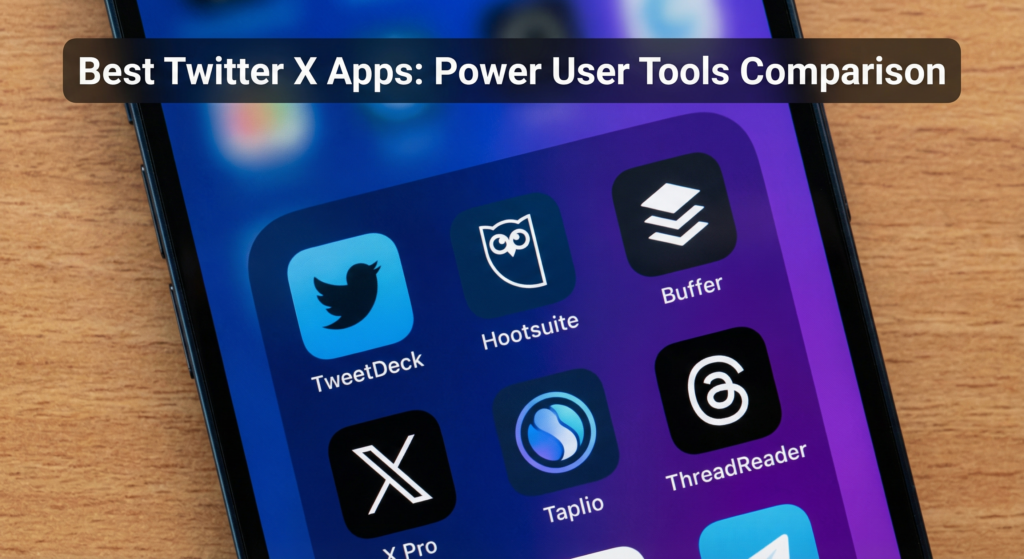
TweetDeck was acquired by Twitter in 2011 and rebranded as X Pro for X Premium subscribers in 2023. X Pro provides a multi-column dashboard interface that lets you view your home feed, notifications, mentions, lists, and saved searches in separate columns simultaneously. It is the most powerful native tool available for monitoring multiple streams of X content at once. Available to X Premium subscribers at no additional cost beyond the monthly subscription.
Buffer (for Scheduling)
Buffer is not a full X client but it is one of the most useful companion tools for creators who need to schedule and track X content. The iOS and Android apps let you compose and schedule posts from mobile with a clean editing interface. Buffer also shows which of your scheduled posts performed best, making it useful for iterating on content strategy.
Typeahead Search and Saved Searches
X’s own saved searches feature, accessible through the search bar in the official app, is an underused power tool. Save searches for your brand name, competitor names, and key topic keywords. Check these saved searches daily to monitor mentions, trends, and conversations in your niche that you would otherwise miss.
Analytics and Monitoring Tools
TweetBinder
TweetBinder is a Twitter analytics and hashtag monitoring tool that provides detailed reports on tweet performance, hashtag campaigns, and account growth. Marketers and PR teams use it to measure the reach of Twitter campaigns and events in near real time. Plans start at $49 per month for basic analytics.
Fedica (formerly Followerwonk)
Fedica provides audience analytics for X that go beyond what native analytics offer. It analyzes your followers’ biographical data, activity patterns, and interest overlap to help you understand who your audience really is and when they are most active. Plans start at $19 per month.
X Tool Comparison for Power Users
| Tool | Primary Use | Cost | Best For |
|---|---|---|---|
| X Pro (TweetDeck) | Multi-column monitoring | Included with X Premium | Community managers, journalists |
| Buffer | Scheduling and analytics | Free to $6/channel/month | Content creators |
| Typefully | Thread writing and scheduling | $19/month | Thread-focused creators |
| TweetBinder | Hashtag and campaign analytics | $49/month | Marketers and PR teams |
| Fedica | Audience intelligence | $19/month | Growth strategists |
| X Native Analytics | Post performance data | Free | All users |
Frequently Asked Questions
Are third-party X clients safe to use?
Tools that use the official X API under approved developer agreements are safe and compliant. Be cautious with tools that ask for full read-write access to your account without a clear explanation of how they use that access. Review the permissions each tool requests and revoke access from any tools you no longer use through the Apps section in your X account settings.
Does X Pro (TweetDeck) require an X Premium subscription?
Yes. Access to X Pro requires an active X Premium subscription (the blue checkmark plan at $8 per month). The multi-column interface is only available to paying subscribers. The original TweetDeck was free but was restricted to Premium subscribers in 2023.
What is the best tool for monitoring brand mentions on X?
X Pro’s saved search columns are the most cost-effective option for monitoring brand mentions. For more advanced monitoring with sentiment analysis and historical data, tools like TweetBinder, Mention.com, and Brand24 provide more comprehensive tracking capabilities at a higher price point. Choose based on the volume of mentions you need to track and the depth of analysis your workflow requires.
Pick the Tools That Match Your Specific Workflow
No single third-party X tool covers every power user need. Start with X Pro (TweetDeck) if you are an X Premium subscriber and need multi-column monitoring. Add Buffer or Typefully if you schedule content regularly. Layer in an analytics or audience intelligence tool if you are actively growing your account or managing X for a brand. The most effective X tool stack is the simplest one that covers your actual use cases rather than a collection of tools you signed up for but rarely open.