Your Twitter/X history is a valuable record of years of thoughts, conversations, and content. Whether you want to back up your data before taking a break from the platform, search your own tweet history, or preserve your archives before deleting content, X provides an official data export tool that downloads everything associated with your account. This guide explains how to request and use your X data archive in 2026.
How to Request Your X Data Archive
Open X on desktop, go to Settings, then Your Account, then Download an archive of your data. Enter your password or use two-factor authentication to confirm your identity. X will begin compiling your archive, which can take anywhere from a few minutes to several days depending on your account’s age and content volume. X sends an email notification when your download is ready.
What the Archive Includes
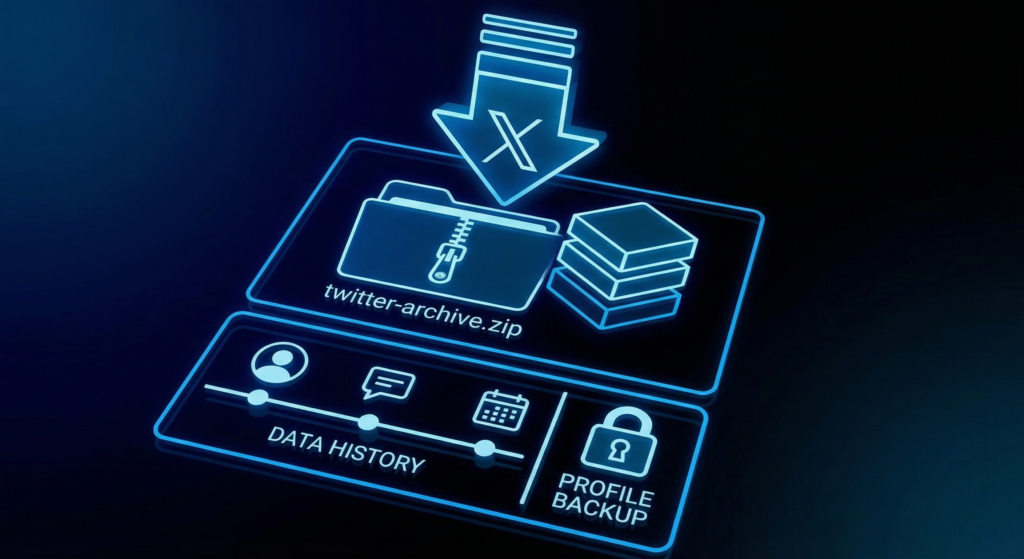
Your X archive includes all tweets you have posted (including deleted ones from before the archive request), direct messages, followers list, following list, likes (favorites), account settings, ad impressions, and account activity data. The archive is packaged as a ZIP file containing HTML files you can view in a browser and JSON files for more technical data processing.
Navigating Your Archive
Extract the ZIP file and open the index.html file in a web browser. The archive viewer shows all your tweets in reverse chronological order with the same appearance as the X website. You can search your archived tweets by keyword, browse them by date, and see engagement data for each post.
Searching Your Tweet Archive
The built-in archive search is useful for finding specific tweets you remember posting but cannot locate through X’s limited native search. X’s live search only indexes a limited portion of the platform’s content. Your personal archive search covers every tweet you have ever posted, making it more comprehensive for personal history searches than the platform’s own search tool.
Third-Party Tools for Twitter Archive Management
Several third-party tools add capabilities beyond X’s official archive viewer, including better search, data visualization, and bulk management options.
Semiphemeral
Semiphemeral is an open-source tool that helps you selectively delete old tweets based on criteria like age, engagement threshold, or specific keywords while preserving tweets you want to keep. It reads your archive data and lets you define rules for what to keep and what to delete. Useful for accounts that want to clean their history without permanently deleting everything.
TweetDelete
TweetDelete is a web tool that connects to your X account and lets you bulk-delete tweets based on age, keyword, or date range. Unlike manual deletion, TweetDelete processes hundreds of tweets per session. The free version handles limited deletions; the paid version handles bulk operations. Note that X API rate limits affect how quickly bulk deletion tools can process large archives.
Archive Data Types Compared
| Data Type | Included in Archive | Viewable in Browser | Notes |
|---|---|---|---|
| All tweets | Yes | Yes | Including deleted tweets before archive date |
| Direct messages | Yes | Yes | Both sent and received |
| Followers/following lists | Yes | Yes (IDs) | Account names may change |
| Likes/favorites | Yes | Yes | May not include very old likes |
| Media uploads | Yes | Yes | Photos and videos you uploaded |
Frequently Asked Questions
How long does the X data archive take to download?
Small accounts typically receive their archive within a few hours. Large accounts with years of data can wait up to 24 to 48 hours. X sends an email when the archive is ready. The download link in the email is valid for a limited time, so download the file promptly after receiving the notification.
Does the archive include deleted tweets?
Tweets deleted after the archive request date are not included. Tweets that were deleted before the archive request are included if they were deleted within the previous 30 days. Older deleted tweets are generally not recoverable through the standard archive tool.
Can I use my archive to recover a banned account?
Your archive preserves your content for personal use but does not restore a banned or suspended account. If you lose access to your account, the archive serves as a backup of your content history regardless of account status.
Is my X data archive private?
The archive is downloaded to your device and is as private as any file on your computer. X does not share your archive data with third parties. The download link that X sends by email should be treated as a sensitive credential and not shared publicly.
Back Up Your X Data Before You Need To
Requesting your X archive is quick and free. Downloading it provides a permanent backup of your content history regardless of what happens to your account in the future. If you use X professionally, archiving your data quarterly is a reasonable habit that ensures you always have a current copy of your content. Do not wait until you decide to leave the platform or face a crisis to discover what your archive contains.