
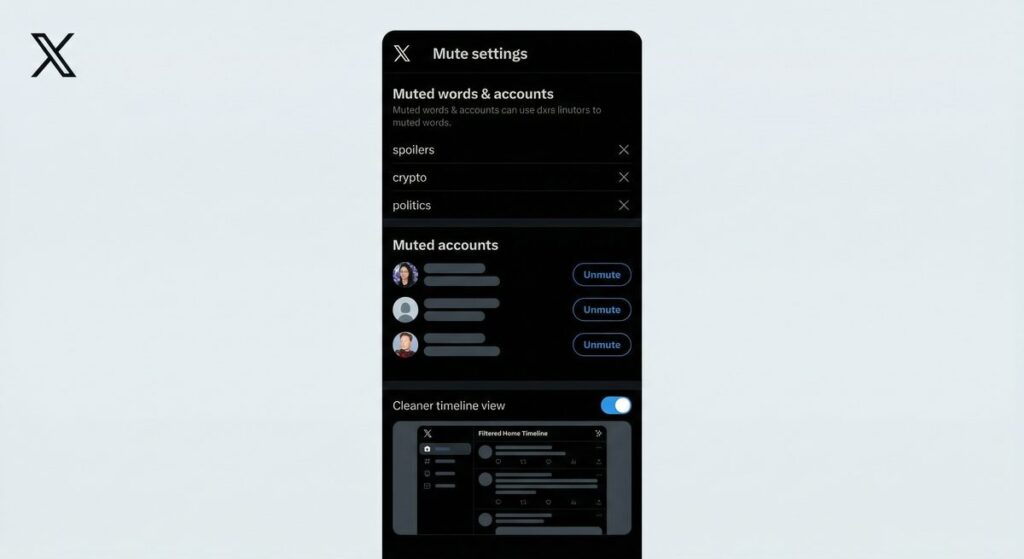
Your X (formerly Twitter) timeline is only as good as what’s in it. Between political arguments, repetitive trending topics, and accounts that consistently post content you’d rather avoid, the default timeline can quickly become overwhelming. The good news: X gives you powerful muting tools to take control. This guide explains exactly how to mute words and accounts on X to create a cleaner, more enjoyable experience in 2026.
What Is Muting on X?
Muting on X is a way to hide content you don’t want to see without blocking an account or unfollowing someone. There are two types of muting available:
- Account muting: Hides all posts from a specific account without notifying them
- Word/keyword muting: Filters out any post containing specific words, phrases, hashtags, or emojis
Unlike blocking, muting is completely invisible to the other person. They can still see your posts, reply to you, and follow you — they simply won’t show up in your timeline or notifications unless you go looking for them.
How to Mute an Account on X
From the Profile Page
- Navigate to the account’s profile page
- Tap or click the three-dot menu (···) next to the Follow/Following button
- Select “Mute @[username]”
- Confirm the action
That’s it. The account will no longer appear in your timeline, and you won’t receive notifications from them unless they specifically @mention you and you’ve configured notifications for that.
From a Post in Your Timeline
- Tap the three-dot menu on any post from the account you want to mute
- Select “Mute @[username]”
This is the fastest way to mute someone you encounter while scrolling — no need to visit their profile.
Managing Your Muted Accounts List
To see and manage all muted accounts:
- Go to Settings → Privacy and Safety → Mute and Block
- Select “Muted accounts”
- Review the list and unmute any accounts you want to restore
How to Mute Words and Keywords on X
Word muting is one of X’s most powerful (and underused) features. You can mute specific words, phrases, hashtags, emojis, or even usernames. Any post containing the muted term will be hidden from your timeline and notifications.
Step-by-Step: Muting a Word or Phrase
- Go to Settings (gear icon or profile menu)
- Select “Privacy and Safety”
- Tap “Mute and Block”
- Select “Muted words”
- Tap the + button to add a new muted term
- Type the word, phrase, hashtag, or emoji you want to mute
- Choose where to apply the mute: Home timeline, Notifications, or both
- Set a duration: Forever, 24 hours, 7 days, or 30 days
- Tap “Save”
What Can You Mute?
- Individual words (“politics,” “spoiler”)
- Phrases (“breaking news,” “election results”)
- Hashtags (#MondayMotivation)
- Emojis (the 🐸 emoji, for example)
- Usernames (to mute mentions of a specific person in other people’s posts)
Comparison: Mute vs. Block vs. Unfollow on X
| Feature | Mute Account | Block Account | Unfollow Account |
|---|---|---|---|
| Hides from your timeline | ✅ Yes | ✅ Yes | ✅ Yes |
| Account notified | ❌ No | ⚠️ Can tell if they check | ❌ No |
| They can still see your posts | ✅ Yes | ❌ No | ✅ Yes |
| They can still follow you | ✅ Yes | ❌ No (unfollowed automatically) | ✅ Yes |
| Removes followers relationship | ❌ No | ✅ Yes | ✅ One-way only |
| Works on keywords/topics | ✅ Yes (word muting) | ❌ No | ❌ No |
Best Words and Phrases to Mute on X
Here are some popular categories of mute-worthy content and example terms to get you started:
Reduce Spoilers
- “spoiler,” “#Spoiler,” the show name before you’ve watched it
Reduce Political Noise
- Specific political figures’ names, party names, hot-button policy terms
Reduce Trending Topic Overload
- Trending hashtags, major event names during periods you want quiet
Reduce Spam or Self-Promotion
- “Buy now,” “DM for promo,” “Check my bio,” “Follow back”
Advanced Muting Tips for Power Users
Use Muted Words During Events
Before major sporting events, award shows, or political debates, pre-mute relevant keywords so your timeline stays clean until you’re ready to engage. Set the mute duration to 24 hours and it lifts automatically.
Mute Notifications Separately
You can mute words from notifications only (not your timeline). This is useful for high-volume conversations where you want to participate in the discussion but don’t want your notification tab flooded with @mentions from strangers replying to a popular post.
Review Your Muted List Monthly
Muted word lists can grow quickly. Do a monthly review to remove outdated mutes (old trending topics, expired events) so your list stays relevant and effective.
FAQ: Muting on X (Twitter)
Will someone know if I mute them on X?
No. Muting is completely silent. The person you mute has no way to know unless you tell them. They can still see your posts, reply to you, follow you, and send DMs — their content just won’t appear in your timeline.
Does muting a word also filter replies and quote posts?
Yes. When you mute a word, X filters out any post — including replies and quote posts — that contain that exact term. This makes word muting highly effective for avoiding topic areas entirely.
Can I mute hashtags on X?
Yes. Simply enter the hashtag (including the # symbol) as a muted word. Any post using that hashtag will be removed from your timeline and notifications depending on your settings.
Does muting work on X Premium?
Yes. Muting works on all X accounts regardless of subscription status. X Premium subscribers don’t get additional muting features, though they do get other content control tools like reduced algorithmic recommendations.
Can I set muted words to expire automatically?
Yes. When adding a muted word, X lets you choose a duration: 24 hours, 7 days, 30 days, or forever. Temporary mutes are perfect for avoiding event spoilers or blocking out short-term trending topics you’d rather skip.