
Twitter automation is one of the most misunderstood topics in social media marketing. On one side, there are accounts that use automation irresponsibly, get suspended, and warn everyone that automation is dangerous. On the other side, there are sophisticated users leveraging legitimate automation tools to run highly effective Twitter presences that would be impossible to maintain manually. The truth is nuanced: the right automation practices are entirely safe and valuable; the wrong ones will get your account suspended. Here is exactly where the line is.
What Twitter/X Actually Prohibits
Twitter’s automation policy explicitly prohibits bulk following and unfollowing designed to inflate follower numbers, automated retweeting of content you have not actually selected, posting identical or near-identical content from multiple accounts, automated mass replies or mentions designed to promote a product, and creating fake engagement (likes, retweets, followers) from automated accounts. These practices violate Twitter’s rules and risk account suspension from first offense for the most egregious violations.
Why Prohibited Automation Fails
Beyond the rule violation risk, prohibited automation strategies deliver poor results even when they work technically. Mass following and unfollowing to acquire followers produces an audience with zero genuine interest in your content, resulting in terrible engagement rates that hurt your algorithmic distribution. Automated engagement signals are increasingly detectable by Twitter’s spam systems. The short-term follower numbers these tactics produce create long-term account health problems.
What Automation Is Safe and Encouraged
Tweet Scheduling
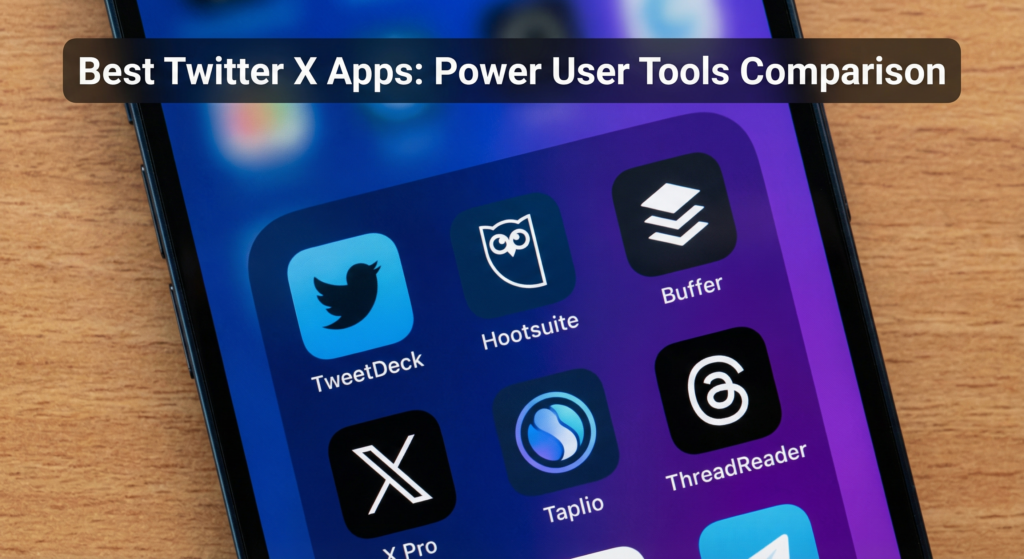
Scheduling tweets in advance using tools like Buffer, Hootsuite, or Twitter’s native scheduling feature is fully compliant and enormously valuable. Scheduling allows you to batch-create content when you are most creative, ensure consistent posting at optimal times for your audience, maintain a posting presence while traveling or during busy periods, and queue up thread posts to publish at controlled intervals. None of this violates Twitter’s policies; it simply moves when and how content is submitted to the platform.
Cross-Platform Posting
Automatically cross-posting content from other platforms (your blog, LinkedIn, YouTube) to Twitter is acceptable when done reasonably. The key is that the content should still be meaningful and relevant to your Twitter audience. Bulk importing every piece of content you publish everywhere creates a spam-like feed that performs poorly. Selective, edited cross-posting of your best content adds value.
Twitter Automation Tools Comparison
| Tool | Primary Function | Policy Compliance | Cost | Best For |
|---|---|---|---|---|
| Buffer | Scheduling | Fully compliant | Free – $120/mo | Small teams |
| Hootsuite | Full management | Fully compliant | $99 – $739/mo | Agencies/enterprise |
| Typefully | Thread creation | Fully compliant | Free – $29/mo | Thread-focused creators |
| Hypefury | Growth automation | Partially (check settings) | $29 – $79/mo | Creators |
| Zapier | Workflow automation | Compliant (depends on zap) | $19 – $69/mo | Power users |
Smart Automation Practices That Grow Accounts
Automated Thread Scheduling
Thread writing tools like Typefully enable you to write complete threads and schedule them to post with controlled delays between each tweet. This is fully compliant and enormously useful for creators who want to share long-form content. You write the full thread at once, set the posting interval, and the tool handles the sequential posting automatically without any policy violation.
RSS-Based Content Sharing
Setting up automated posting of your blog’s RSS feed to Twitter (through Buffer, IFTTT, or Zapier) ensures your blog audience always sees new content announcements on Twitter without manual posting. Customize the tweet format to add relevant hashtags or commentary automatically for each post type. This is a legitimate time-saving automation that keeps your Twitter feed connected to your broader content output.
Frequently Asked Questions
Will using a tweet scheduler get my account suspended?
No. Tweet scheduling is explicitly supported by Twitter’s API and policies. All major scheduling tools are official Twitter API partners. Using a scheduler for content you have personally created and selected does not violate any platform policies.
Can I automatically follow people who follow me?
Auto-follow (automatically following back everyone who follows you) is in a gray area of Twitter’s policies. While many accounts use it, Twitter has flagged it as potentially violating their manipulation policies when combined with other automated behaviors. The practical concern is also quality: auto-following everyone who follows you rapidly degrades the signal quality of your following list, undermining the lists and engagement strategies described earlier.
Are engagement pods and automation tools that drive engagement safe?
Engagement pod tools that automatically like and retweet content within a group violate Twitter’s inauthentic engagement policies and create engagement from accounts that have no genuine interest in your content. They also increasingly trigger Twitter’s spam detection. The short-term engagement boost they create comes with significant account risk and no lasting audience value.
Conclusion
Twitter automation done right is a legitimate, powerful tool that allows you to maintain a consistent, high-quality presence without dedicating hours per day to manual publishing and management. Done wrong, it is a fast path to account suspension and wasted effort. Stick to scheduling, content distribution, and workflow automation using official Twitter API partners. Avoid any tool that promises to automatically build your following or generate engagement for you. The legitimate tools provide real operational value; the prohibited ones deliver neither safe nor sustainable results.